3.1 KiB
3.1 KiB
SmartShape2D - Shapes
Each shape consists of a set of points. You can directly edit either the points or the edges between the points in the viewport.
Shapes are configured to use a Shape Material which determines how the shape is rendered.
A shape can be open or closed. Each new shape starts open. To close a shape, simply add a point on top of the first one.
Properties
Note
Most properties now have documentation comments.
Editor Debug
- Will show the bounding box for each quad in the mesh of edges.
- Can be helpful to illustrate why a shape doesn't look the way you expect.
Flip Edges
Will flip the edges of the shape (invert y).
Render Edges
Whether the edges of the shape should be rendered.
Collision Size
Width of the collision polygon.
Only relevant for open shapes or Hollow collisions.
Collision Offset
- Offset where the collision polygon begins
- A positive value offsets the collision polygon outwards.
- A negative value offsets the collision polygon inwards.
Tessellation Stages
- Number of stages in the curve tessellation process (Uses Curve2D Internally).
- First Param in Curve2D.tessellate.
- See Curve2D Documentation.
Tessellation Tolerance
- Tolerance Degrees in the curve tessellation process (Uses Curve2D Internally).
- Second Param in Curve2D.tessellate.
- See Curve2D Documentation.
Collision Generation Method
- Controls which method should be used to generate the collision shape.
- See also in-engine documentation.
Collision Update Mode
- Controls when to update collisions.
- See also in-engine documentation.
Curve Bake Interval
- Bake interval value for Curve2D.
- See Curve2D Documentation.
Collision Polygon Node Path
- The path to the
CollisionPolygon2Dthat the SmartShape will use for collision. - Is auto-assigned when pressing the generate collision button.
Shape Material
- The material that this shape will use to render itself.
- For backwards compatibility
fill_texture_z_indexdefaults to-10. Set this to0and enablefill_texture_show_behind_parentin order to preserve Godot's normal z-sorting when layering with other nodes.
Points
- There is no need to edit this property by hand, but you can if you'd like.
- Contains points and meta-data for the points contained in this shape.
- This data structure is updated as you manipulate the shape.
Material Overrides
- There is no need to edit this property by hand, but you can if you'd like.
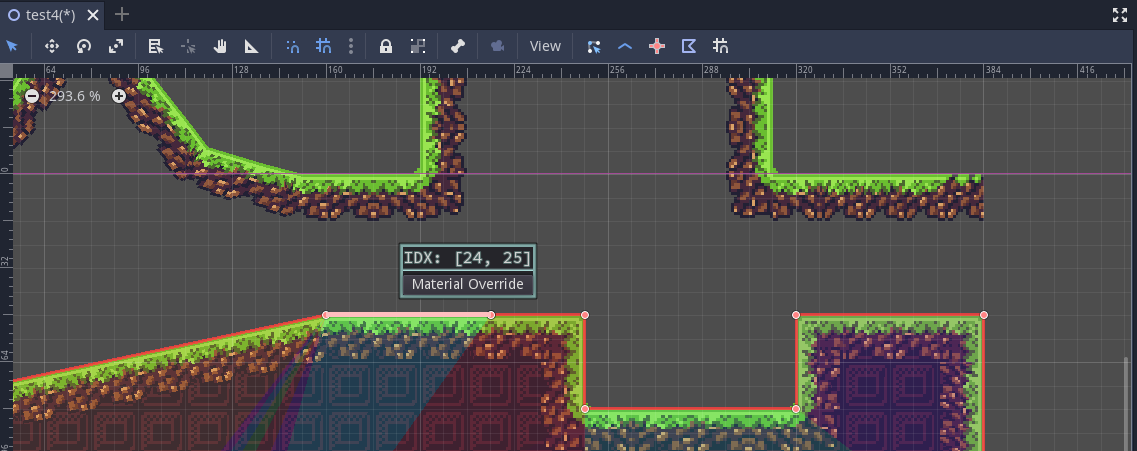
- When an edge is given a "Material Override" the data for that edge is stored here.
- This data structure is updated as you manipulate the shape.